

Built In-House
ARTIXOCUT
A fast, native video editor for creators. Multi-track timeline editing, audio mixing and node-based effects, all running on your own computer.
Windows 10 / 11, 64-bit · Latest version
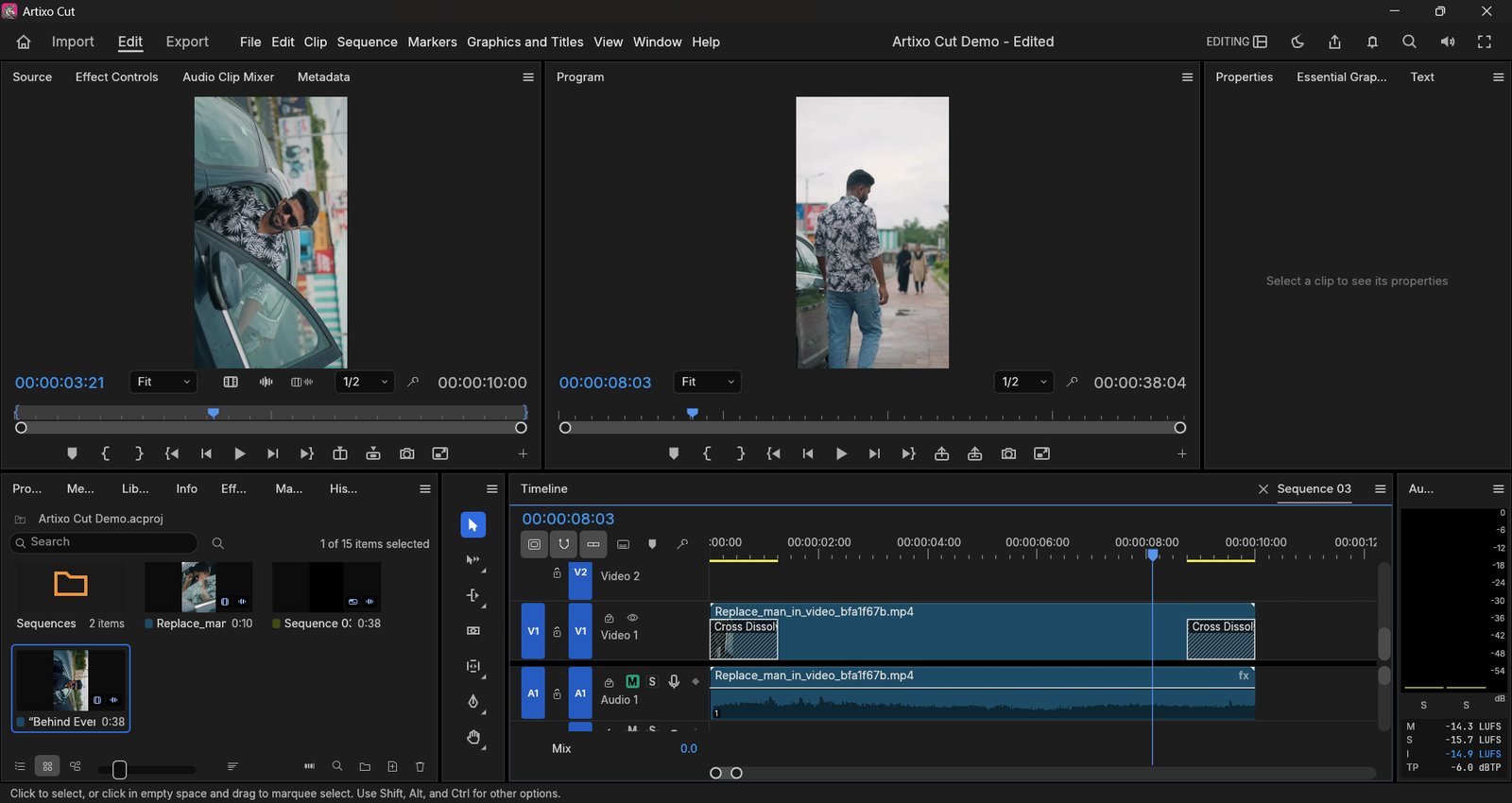
Inside the App
Everything you need to edit
Multi-track Timeline
Cut, trim and arrange clips across multiple video and audio tracks with a fast, responsive timeline.
Built-in Audio Mixing
Balance levels, pan and mix your audio tracks without ever leaving the app.
Node-based Effects & Color
Chain effects and color grades together with a visual node graph for precise, non-destructive control.
Media Bins & Organization
Keep footage organized with bins and keywords, even on large, long-running projects.
Fast Native Performance
Built in Rust for speed — smooth playback and scrubbing even on large timelines.
Your Files Stay on Your Computer
Everything runs locally. Your footage and projects never leave your machine.
Getting Started
How to install
Download the ARTIXO CUT installer
Grab the .msi installer using the button above — it always links to the latest release.
Click "More info" → "Run anyway"
Double-click the installer. Windows may show "Windows protected your PC" — this appears because the app is new and not yet code-signed. Click "More info", then "Run anyway".
Install and open ARTIXO CUT
Follow the installer (Next → Install → Finish), then open ARTIXO CUT from the Start Menu. Double-clicking an .acproj project file opens it directly.
ARTIXO CUT is not code-signed yet, so Windows SmartScreen shows a warning for new apps. New versions aren't installed automatically — come back to this page for the latest one; it installs over your current version and keeps your projects.
Operating System
Windows 10 / 11, 64-bit
Memory
8 GB RAM recommended
Graphics
Dedicated GPU recommended
ARTIXO CUT is built on open-source foundations (MIT / Apache-2.0). Licences are included with the installer.